What coding really teaches, when to start, the free tools worth trying (Scratch, then Python) and how to spot a gimmicky course. You can begin today, with paper.
Coding classes for children are suddenly everywhere: on Facebook, outside tuition academies, in the school WhatsApp group. Then a nephew “makes an app”, and you wonder if it is too late.
The short answer: most children gain something from trying it, though not for the reasons in the adverts. It is not too late, and finding out costs nothing.
What coding really teaches
Coding is telling a machine exactly what to do, then finding out why it did something else. That builds three habits.
- Logic. A computer does what you said, not what you meant, so “if the ball touches the bat, bounce” has to be exact.
- Breaking problems down. “Make a cricket game” is too big for anyone. “Move the ball, swing the bat on the space key, add a score” is three small jobs.
- Patience. Programs rarely work the first time. For a child raised on ratta, where answers are right or crossed out in red, this is new: mistakes are normal and fixable. The first bug brings tears; the fifth, a shrug and a fix.
A 2019 review of 105 studies, mostly of school students, found that those who learned to program did better afterwards in creative thinking, maths and reasoning. But the edge was much smaller when the comparison children had other training, and reading showed no gain. A good workout, not magic.
And AI? It writes code, but someone still has to break the problem down and check the answer. A chatbot doing a 10-year-old’s project is like learning tables on a calculator.
Good ages to start
As a rough guide:
| Age (roughly) | What to try | Free tool |
|---|---|---|
| 5 to 7 (Prep to Class 2) | Direction games, a little block coding | ScratchJr, on a tablet |
| 8 to 10 (Class 3 to 5) | Animations, stories, simple games | Scratch |
| 11 to 14 (Class 6 to 9) | Bigger projects, then typed code | Scratch, then Python |
Scratch, from the MIT Media Lab, is free and designed especially for ages 8 to 16: children snap coloured blocks together instead of typing. ScratchJr, a simpler version for ages 5 to 7, is a free tablet app.
Readiness matters more than age. Can your child read the blocks and stay with a puzzle for twenty minutes? Then they are ready, daughters as much as sons.
Start without a laptop
One phone shared by three children? Start with paper.
- The robot game. You are a robot that understands only “step forward”, “turn left” and “turn right”. Your child steers you from the sofa to the fridge. Obey exactly, even into the wall (gently). The giggles are the lesson.
- Arrows on paper. Draw a six-by-six grid in a copy: a coin is the cat, a sweet is the fish, crossed-out squares are walls. Your child draws arrows from cat to fish, and a sibling follows them. Then ask for it shorter: “repeat 4 times: forward” is a loop. A rule like “if there’s a wall, turn right” is how programs decide.
CS Unplugged, free from New Zealand’s University of Canterbury, has many more games with cards, string and crayons.
Scratch first, then Python
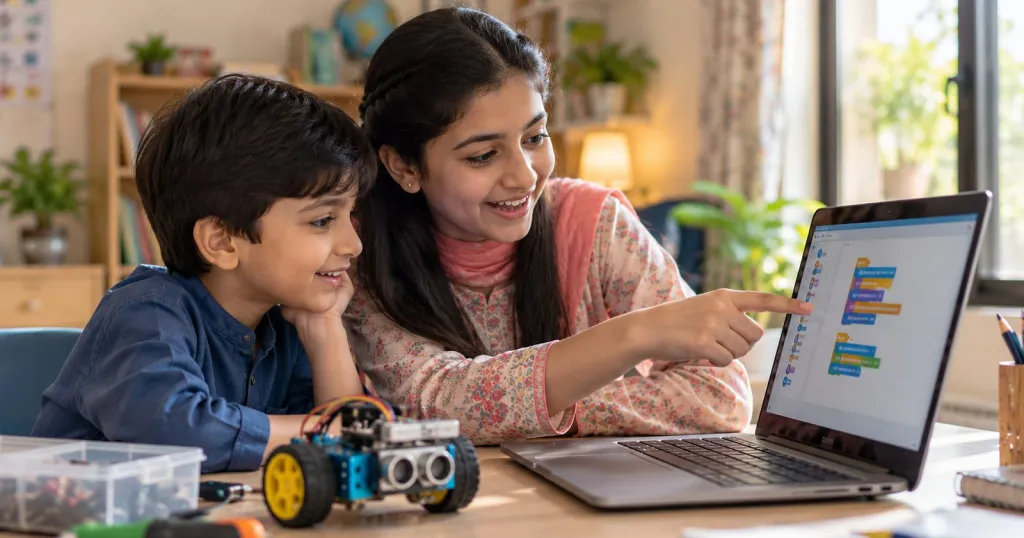
On a laptop or tablet, open scratch.mit.edu and click Create. No account is needed; to keep the work, use File, then “Save to your computer”. On a phone you can watch projects, not make them. The free Scratch app works offline on Windows, Mac, Chromebooks and Android tablets, handy when load-shedding kills the Wi-Fi.
First projects: the cat walks across the screen and says salaam; your child’s name with dancing letters; a times-table quiz for a younger sibling. The blocks use simple English, so read them together at first. When something breaks, ask rather than fix: “What did you want it to do? What is it doing instead?” That is debugging.
To share projects online, open the account with your own email and keep names, school and photos out of it.
Around 11 to 13, when Scratch feels slow and typing is steady, try Python, a free language beginners can pick up. Thonny, a free beginners’ editor, comes with Python built in. Typing code on a phone is misery; wait for a keyboard, even an old laptop.
How to tell a good course from a gimmick
Warning signs:
- Big promises and pressure: “apps at nine”, “earn in dollars”, “only two seats left”.
- A kit, tablet or subscription to buy before the first class. Scratch and Python are free.
- Weeks of copying the teacher’s screen line by line.
- Selling the certificate. It proves a fee was paid; a project proves learning.
Good signs:
- Every week, your child makes or changes something of their own.
- The teacher asks “What do you think will happen?” and lets your child find the bug.
- Small groups, so the teacher can see every screen.
One question sorts most courses: “What will my child be able to make on their own after four weeks?” A good teacher names something specific, like a chase game with a score. A gimmick talks about certificates.
Screen time: swap, don’t add
Coding is making, not scrolling, but eyes can’t tell. The American Academy of Pediatrics sets no fixed hours for school-age children; it suggests a family plan that protects sleep, homework, reading and play, with devices away at bedtime.
- Swap, don’t add. Take coding time from cartoons or scrolling, never from sleep, outdoor play or homework.
- The 20-20-20 rule: every 20 minutes, look at something 20 feet away for 20 seconds. And at least 10 minutes off the screen every hour.
- Coding videos are still watching. House rule: build for longer than you watched.
This weekend, play the robot game for ten minutes. If your child laughs, argues about left and right and begs for more, open Scratch next time. If they are bored after a fair try, that is an answer too; cricket and calligraphy teach patience as well.
If your child would enjoy a patient computing teacher, you can look for one on Education360. Whoever you choose, our safety checklist for online tuition is worth ten minutes first.
Sources
- Scratch: About Scratch
- Scratch: FAQ
- Scratch Foundation: Scratch apps
- ScratchJr on Google Play
- Python.org: About Python
- Thonny
- CS Unplugged, University of Canterbury
- Scherer and others (2019), Journal of Educational Psychology: benefits of learning to program
- HealthyChildren.org (AAP): screen time for school-age children
- HealthyChildren.org (AAP): screen breaks for children’s eyes