Three children, one phone and two classes at five: a timetable, the right data package, recordings, earphones and a few safety rules that end the daily tug of war.
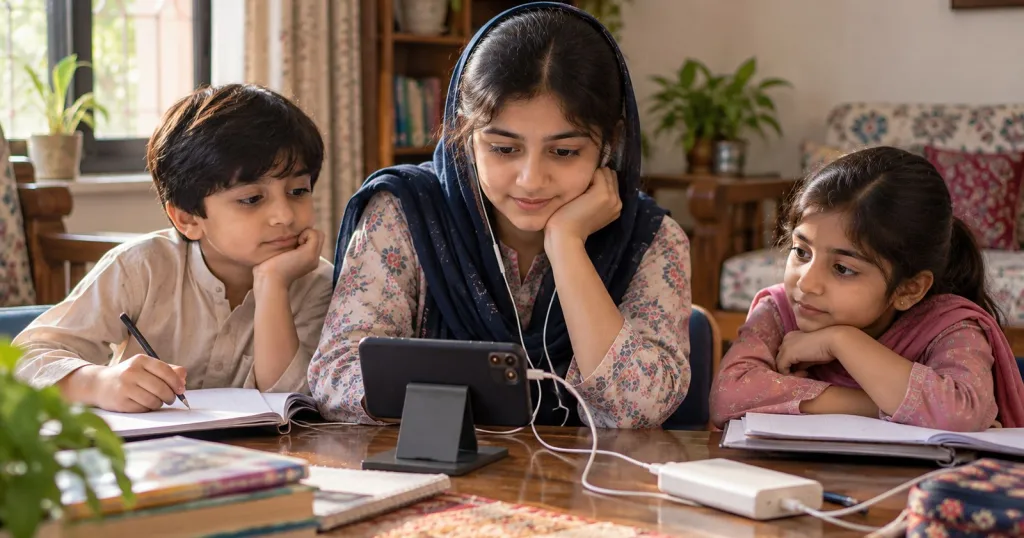
It is five minutes to five. Two children have classes at five, the youngest wants cartoons, and the only phone in the house is Ammi’s, which is also where the family WhatsApp group lives. If that is your evening, you are not doing anything wrong. You need a plan that is made once, on paper, instead of a negotiation every day.
Make one timetable, and put it on the fridge
Sit with the children and write down every class in the week: whose it is, what time, how long, and whether it is live or recorded. Then agree three rules before anyone needs them.
- Live classes get the phone first. Recordings, quizzes and homework fit around them.
- Clashes are settled in advance. Usually the child closest to an exam takes the live class and the other watches the recording that evening.
- Every child gets a fixed phone slot for recordings and homework, so nobody has to beg for it.
A weekday for three children might look like this:
| Time | Phone is with | For | The others |
|---|---|---|---|
| 4:00 to 4:45 | Eldest (Class 9) | Live maths class | Written homework |
| 5:00 to 5:40 | Middle child (Class 6) | Live English class | Eldest revises from notes |
| 5:40 to 6:30 | The charger | A break for everyone | Chai and play |
| 7:00 to 7:30 | Youngest (Class 2), with a parent | Yesterday’s recording | Homework |
| 8:30 to 9:15 | Eldest | A recording or a quiz | Reading, then bed |
If load-shedding in your area comes at fixed hours, write those on the same sheet. A timetable that ignores the power cuts will be broken by Wednesday.
Data and Wi-Fi: find out what one class costs you
Don’t guess. Check your remaining MBs just before a class and again just after it. Now you know what one class costs on your network, on your phone. Multiply that by the classes on the timetable, add a margin, and pick the package that covers the whole week.
- Read what your bundle really covers. Some bundles count only certain apps, such as WhatsApp or YouTube, so a class in the browser may come out of your main data.
- Ask the teacher whether students may keep cameras off when the internet is weak. Video uses far more data than sound.
- Switch off automatic media downloads in WhatsApp during class hours, so forwarded videos don’t eat the class’s data.
- On Wi-Fi, sit in the same room as the router. Walls and floors weaken the signal.
Treat recordings as a second phone
A recording turns a clash into a delay. If the eldest has the phone at five, the younger one can watch the same class at eight. Ask the teacher at the start whether classes are recorded and how soon the recording appears.
Recordings work best with a little structure: a notebook open, the video paused to copy the board, and one question written down for the next live class. A recording can’t answer a question, so the question has to travel.
Keep the live seat for the child who needs it most: the youngest, the shy one, or the one who drifts off when nobody is watching.
Earphones and a quiet corner
Buy one pair of wired earphones for each child and wrap a strip of coloured tape round each. Wired ones need no charging, and the arguments about whose they are stop overnight.
Keep the volume low. The World Health Organization’s advice for children in online classes is to use the speaker where possible and, when earphones are needed, to keep the volume below 60% of the maximum and take breaks away from the screen.
The quiet corner doesn’t have to be a room. A corner of the main room works: back to a wall, light on the child’s face, the phone propped on two books at eye level. Avoid a bedroom with the door shut, so an adult can hear how the class is going.
Charging around load-shedding
- Charge the phone fully before the first class, and turn the brightness down during it.
- Keep a power bank, and charge it whenever the electricity is on so it is full when the power goes.
- Agree what happens when the power and the internet both go: the child does the written work, watches the recording later, and you send the teacher a short message.
Safety and privacy on a shared phone
A parent’s phone holds the family’s photos, chats and often banking apps. Before you hand it over, lock the banking and payment apps (many phones have a built-in app lock) and turn on Do Not Disturb, so family messages don’t pop up in the middle of a lesson.
Then say two rules out loud to the children:
- The teacher talks to you in class, and to Ammi or Abbu outside it. The NSPCC, the UK children’s charity, advises that a tutor should always contact the parent and never have direct contact with the child outside a session.
- No personal numbers. Your child never gives out a number, and no teacher should ask to move to a private WhatsApp call. If one does, say no and tell the school or the institute.
For the full list, see our ten-point safety checklist for online tuition.
Talking to the teacher about clashes
A teacher would much rather hear about a clash in week one than discover it from the attendance list in week four. Write once, early and politely, and offer a solution. Something like this:
“Assalam o Alaikum. My children share one phone, and your Tuesday class at 5 clashes with my younger son’s class. Could he join at 5:15, or watch the recording that evening and send you his questions? We’ll make sure his homework reaches you on time.”
It is fair to ask for recordings, homework set in writing rather than only said aloud, permission to keep the camera off on bad-data days, and a different slot if one opens up. Send the message through the class platform or the office, not to a personal number.
Tonight, after dinner, fill in the timetable with the children. Let them argue about it on paper, once, instead of at five o’clock every day.
Still looking for a teacher? You can find the right teacher in five taps. One of the questions asks which days and times suit you, so answer it with this timetable in front of you.