
Twenty black squares and silence after your question? An online teacher's guide to keeping students thinking when cameras stay off, from the chat box to the silent student.
You ask your online class a question. Twenty black squares look back. Nobody speaks, and you start to wonder whether anyone is there at all.
Almost every online teacher knows this moment, and it helps to know why the cameras are off. A study of an online biology course at Cornell University asked students exactly that. The most common answer was worry about how they looked; others were people or the room showing behind them, a weak internet connection, and the simple fact that nobody else had theirs on. In a Pakistani home, add a few more: one phone shared by three children, data that costs money, a room full of cousins, and girls who would rather not show their home on screen.
The researchers' own advice: don't require cameras, do invite them, and keep students active. So stop teaching to faces. Teach to voices, fingers and the chat box.
Ask something every few minutes
A simple rule: never talk for more than about five minutes without asking the class to do something. Answer in the chat, solve one line, pick A or B. The evidence for this kind of active learning is strong. A review of 225 studies of university science and maths classes found exam scores about 6% higher on average when students worked during class, and students in lecture-only classes were 1.5 times more likely to fail.
Write eight to ten questions in the margin of your lesson plan before class, so you aren't inventing them while also watching the clock.
Names, the chat and polls
Ask first, pause, then say the name. “What is the unit of force? Think for a moment.” Wait three seconds, then name a student. Everyone thinks, because anyone might be asked. If the student doesn't know, let them say “pass for now” and come back to them later with an easier question. Nobody should be left stuck in front of the class.
Keep a paper list of names beside your laptop and tick each one when that student speaks or types. By the end of the class every name should have a tick.
For a question everyone should answer, use the chat with one twist: “Type your answer, but don't press Enter until I say now.” Then say “now”. Twenty answers arrive together, nobody copies, and in two seconds you know who has understood.
Polls do the same job for multiple choice. Make one option the common wrong answer; the number who choose it tells you what to teach again. No poll button? “Type A, B or C” works just as well. And the raise-hand button suits students who want to speak but are shy about unmuting.
Teach in short pieces
A long explanation is hard to follow on a small screen over a slow connection. Break the class into pieces of about ten minutes, each ending with something to do. A 40-minute class might run like this:
| Minutes | You | Students |
|---|---|---|
| 0–5 | A warm-up question on the last lesson | Answer in the chat |
| 5–15 | Teach part one, with a question halfway | Answer when named |
| 15–20 | Set one problem | Solve it, then type or show the answer |
| 20–30 | Teach part two | Answer a poll |
| 30–35 | A three-question quiz | Answer, then hear the answers |
| 35–40 | A student explains one step; set homework | Explain, ask questions |
Quizzes that feel like practice
A short quiz at the start, on last week's lesson, wakes the memory up and shows you where to begin. Another at the end shows what landed today. Keep them small, three questions or so, count them lightly or not at all, and go through the answers at once while the questions are fresh. Students soon learn that a quiz is there to find gaps, and they stop dreading it.
Let students teach a part
Ask a student to unmute and explain step two in their own words. Choose a “teacher of the day” at the start, and that student listens differently all class. With younger children, ask them to show the answer on their fingers or hold their notebook up to the camera. Explaining something aloud is one of the quickest ways to find out whether you really understand it, and students often follow a classmate's explanation more easily than yours.
The silent student
Some students never speak. Before deciding they aren't trying, think of the reasons: a shared phone, no microphone, shyness, a noisy house, or not understanding and not wanting to show it. Then try the gentle routes:
- Let them answer in the chat, or in a private message to you.
- Give them a question in advance: “Next class, the water cycle question is yours.”
- Start them with a question they can certainly answer, and praise exactly what was good about the answer.
- Have a short word after class, or message the parent through the school's or platform's messages, never from your personal number.
Avoid “Are you sleeping?” or “I know you're not even there.” Said in front of the class, it only makes the silence longer.
Your camera: body language that carries
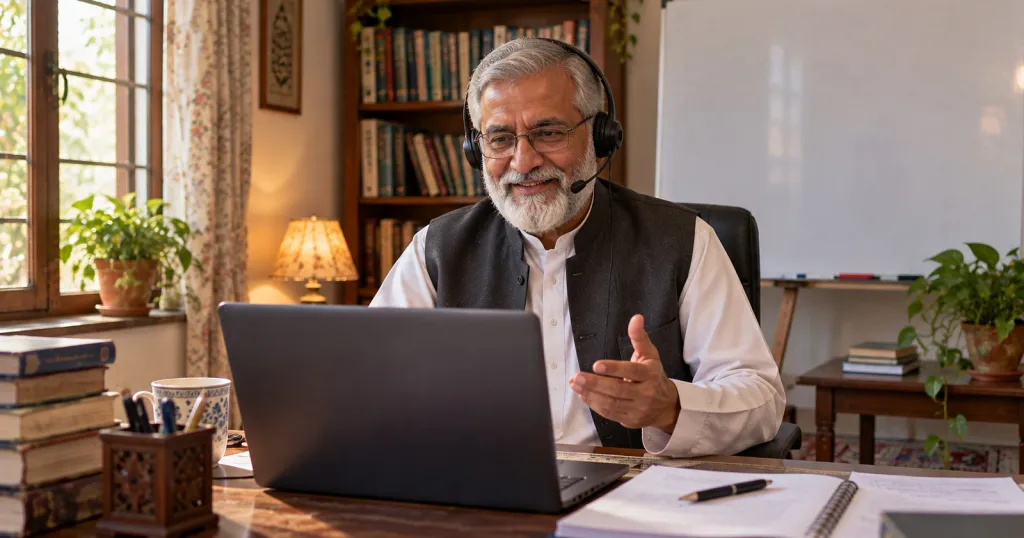
- Raise the laptop or phone on a few books so the camera is at eye level.
- Sit facing the window or a lamp, not with the light behind you.
- Look into the camera, not at the screen, when you say the line that matters.
- Smile and nod when students answer. It shows even on a small phone.
- Slow down, and after a question wait a few seconds longer than you would in a classroom; the connection adds a delay.
- Write large on the whiteboard, and keep your hands near your face when you gesture so they stay in the frame.
If you are not a “computer person”, take heart. Three buttons do most of this work: mute, chat and the whiteboard. Your teaching is the hard part, and you already have it.
Tomorrow, try one thing only: the “don't press Enter yet” question at minute ten. Watch the answers arrive together.
New to teaching online? Our first online class checklist for teachers covers the setup and the buttons. And if you would like to teach with Education360, you can apply to teach on our website.
Sources
- Castelli and Sarvary, “Why students do not turn on their video cameras during online classes and an equitable and inclusive plan to encourage them to do so”, Ecology and Evolution 11 (2021)
- Freeman and others, “Active learning increases student performance in science, engineering, and mathematics”, PNAS 111 (2014)